Best Ways To Remove Privacy Protection Password On infinix HOT 4
April 8, 2021
Privacy Protection also known as anti theft is a
feature developed to prevent unauthorized user from gaining access to a phone
device without the required pin or password. Its a built-in security feature
added to most android like Samsung ,Infinix, Tecno, Huawei, Itel, Mobicel etc.
3 WAY TO REMOVE PRIVACY PROTECTION PASSWORD ON INFINIX HOT 4
I will show you 3 ways to remove and reset privacy
protection. If one of them doesn’t work for you try the other methods as shown below:
1.Using Default Password Combinations
The problem where you are asked to enter the
password at the privacy protection screen can be solved by using either of the
following codes.0000.123456.1234 or 000000.12345678.Try out any of these codes
and choose the one thatwould perfectly
work for your device.
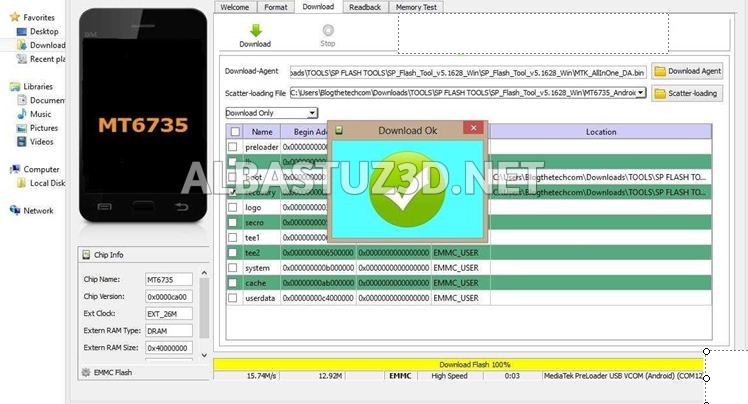
2. Using sp flash tool
ü First remove battery from Infinix device or simply turn off the phone if it has an inbuilt battery.
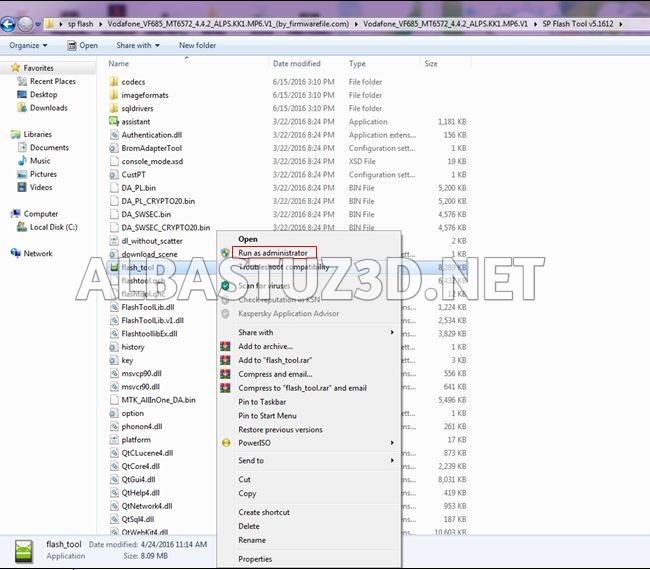
ü Click and open sp flash tool.
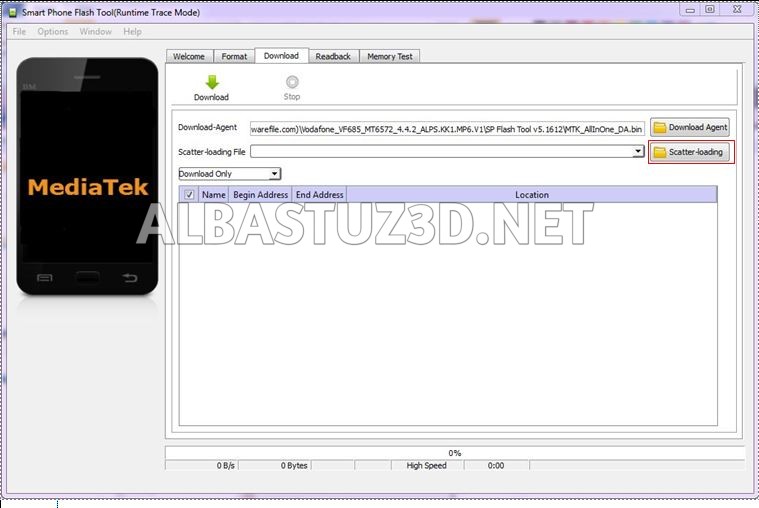
ü Select "scatterloading"as shown below.
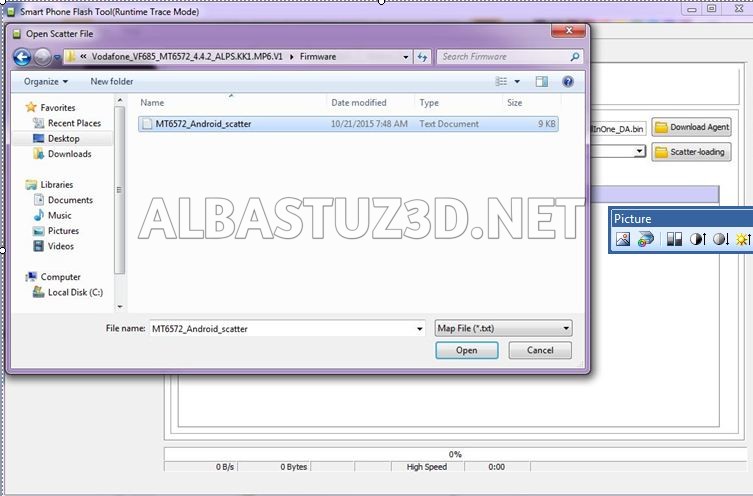
ü Navigate and select the respective file for the device.
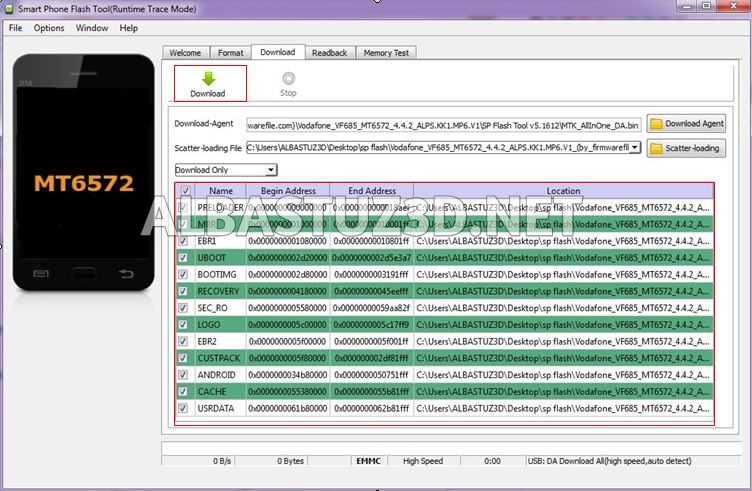
ü On this section,tick the files you want to flash and click “download”.
ü Insert usb cable followed by battery.Note:For some
devices you need to hold boot key before inserting usb cable then wait for the process to complete.
ü Disconnect then hard reset the phone to fix
errors.
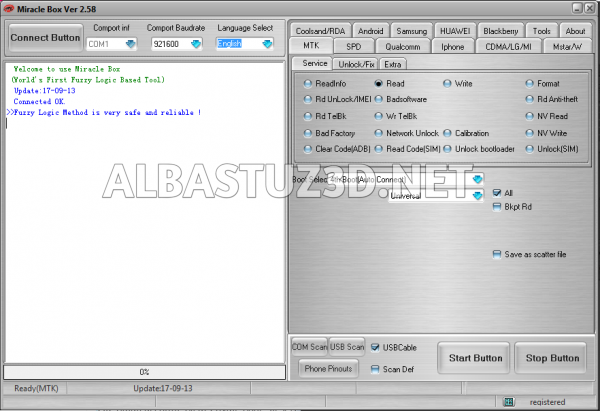
3. Download Miracle Box
ü Download Miracle box drivers Here
ü Manually Install Mediatek VCOM{MTK}drivers.
ü Extract ,install and run miracle box as administrator.
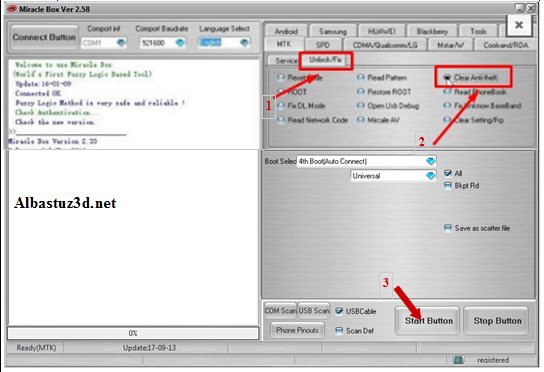
ü When the Miracle Box software opens,click on the MTK option.
ü Click on the Unlock / Fix tab then tick Clear Anti-theft.
üNow click the Start Button.
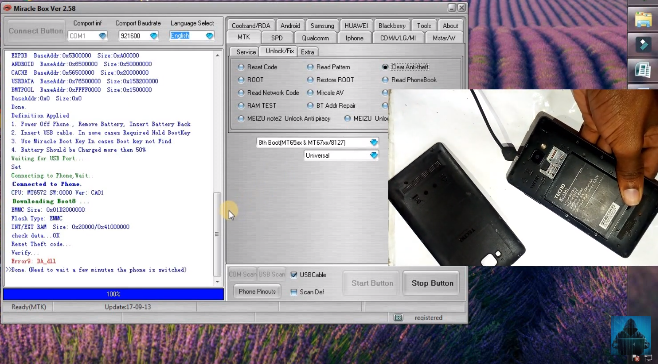
ü Insert usb cable followed by battery.Note:For some devices you need to hold boot key before inserting usb cable.
üWait for the process to finish (this may take a few minutes) wait until you see the message ‘Done’.
(Now carry out hard reset and clear partition cache then reboot the device and wait a few minutes for the phone to boot normally).
For more information watch the following video below:
One comment on “Best Ways To Remove Privacy Protection Password On infinix HOT 4”

One comment on “Best Ways To Remove Privacy Protection Password On infinix HOT 4”
Jun H
December 22, 2021 at 7:49 pmMéthode très efficace.
Je te suit depuis longtemps et tu es le meilleur. 👍🏻